
HappyFleet’s Scheduling stage lets candidates book their own interviews inside your Applicant Tracking System (ATS) by exposing a calendar your team controls: the candidate picks an open slot, receives a confirmation with a calendar invite, gets automatic reminders, and your team marks whether they showed up. What happens after a no-show is up to you. In HappyFleet, the Scheduling stage can send a no-show to your review queue, automatically invite the candidate to rebook, or, if you explicitly opt in, move the application to Rejected. Calendars are built once and reused across as many jobs as you need, with per-slot capacity so the same setup works for one-on-one interviews and for group orientations. For high-volume frontline hiring, where the gap between “we’d like to talk” and “here’s when” is where candidates disappear, this closes the gap without a recruiter touching a calendar.
How does self-service interview scheduling work inside an ATS?
Self-service scheduling means the candidate chooses a time from slots your team has already made available, rather than trading emails or missed calls to find one. The moment they book, the details are captured on their application, a confirmation and calendar invite go out, and reminders are queued automatically.
The reason this matters is timing. Frontline candidates are usually applying to several jobs at once, often from a phone between shifts, and the employer who gets a firm interview time on their calendar first tends to win. When scheduling depends on a recruiter’s availability, the fastest possible turnaround is however long it takes that recruiter to see the message and reply; when it’s self-service, the turnaround is however long it takes the candidate to tap a slot. HappyFleet’s Scheduling stage is the AI ATS’s built-in scheduler, so booking, confirmation, reminders, and attendance all live on the same application record, alongside the chat thread and screening results. The broader case for this approach is laid out in how an ATS handles candidate communication and interview scheduling.
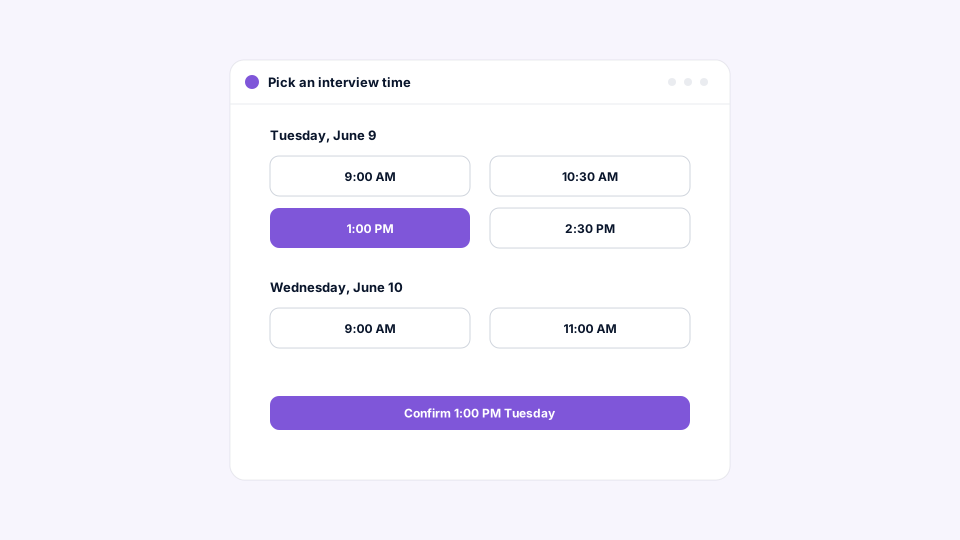
How do you set up a calendar that candidates can book against?
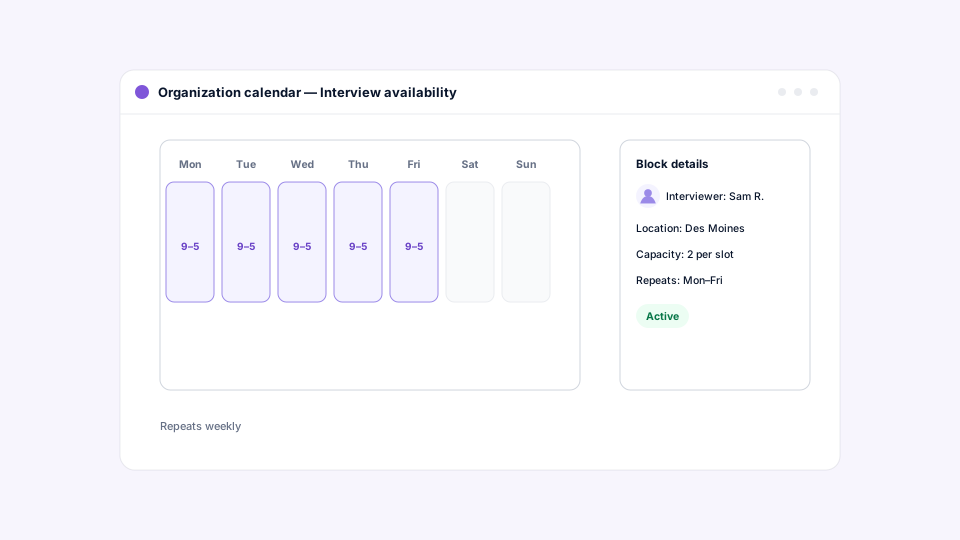
In HappyFleet, a calendar is a named schedule in your timezone, filled with availability that defines when your team can meet, who the candidate will meet, where, and how many candidates can book the same time. Build one calendar and reuse it on any job.
Give the calendar a clear name, such as “In-person interview — East Coast” or “Warehouse Orientations,” and add the windows when your team is free: one-time blocks or weekly repeats on the days you choose. Each window names the interviewer, whose name appears on the candidate’s confirmation, and can include a physical address, a video link, or both, plus instructions like what to bring or where to park. Capacity per slot is what makes one calendar serve two very different needs: one seat for a one-on-one interview, many seats for a group orientation. As candidates book, remaining seats count down, and a full slot simply stops being offered.
Calendars are built to be safe to change while hiring is in progress. Editing availability never strands a candidate who has already booked, candidates are told if a meeting they held is cancelled, and a calendar that live jobs depend on can’t be removed by accident.
What guardrails control when a candidate can book?
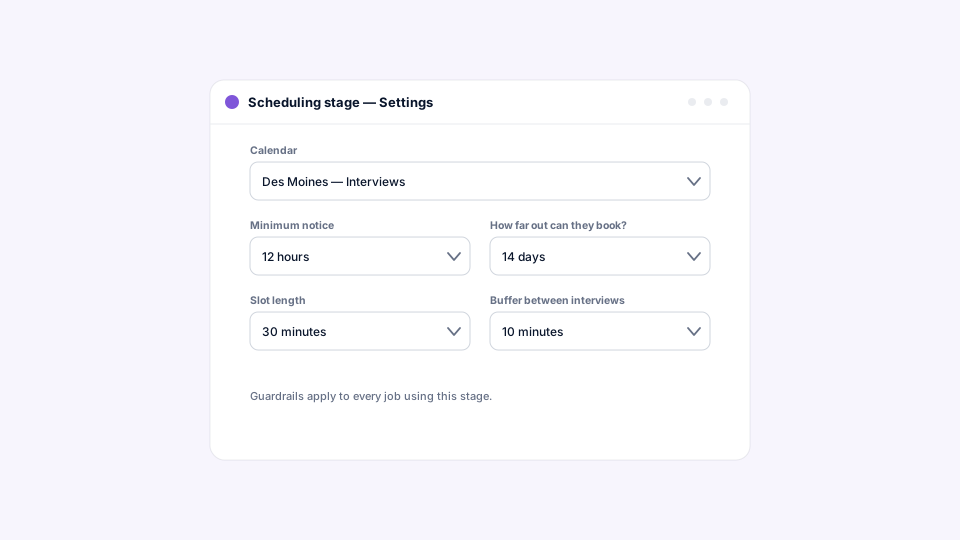
Each Scheduling stage adds guardrails on top of the calendar: how far into the future candidates can book, how much notice they must give, and how close to the meeting they can still reschedule. Together they narrow which of the calendar’s slots a given candidate is actually offered.
These settings are what let one shared calendar serve very different processes. A same-day walk-in interview process on one job can allow short-notice bookings, while an orientation schedule on another job can require candidates to book further ahead and lock changes closer to the date. The calendar holds the availability; the stage decides how candidates are allowed to use it.
How do automatic reminders reduce interview no-shows?
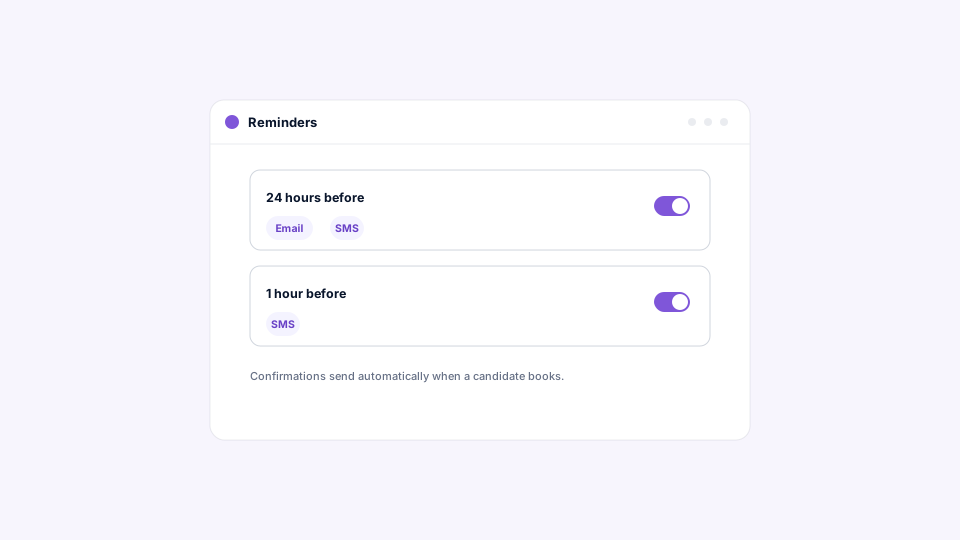
Each Scheduling stage can send multiple automatic reminders before a booked meeting, timed as you choose and delivered by email, SMS, or both. Reminders are queued the moment a candidate books and rebuilt automatically if they reschedule.
No-shows in frontline hiring are rarely about bad faith; they’re about a booking made on Monday being forgotten by Thursday. A reminder the day before and another an hour ahead, sent by text to a candidate who applied from their phone, changes the math. HappyFleet keeps reminders coherent with the booking: if the candidate reschedules, the old reminders and invite are replaced rather than duplicated. These meeting reminders are separate from the stage’s entry and inactivity notifications, which nudge candidates who haven’t booked yet.
Rafael Garcia, who built Gallo Logistics into a 35-route Amazon Delivery Service Partner operation in Florida, saw his second-round interview show rate climb from roughly 10 to 15 percent to 76 percent after automating screening and follow-up with HappyFleet, a shift documented in his case study. Fast booking and consistent reminders are a large part of why candidates who commit actually turn up.
What happens after the interview: attendance, advancing, and review?
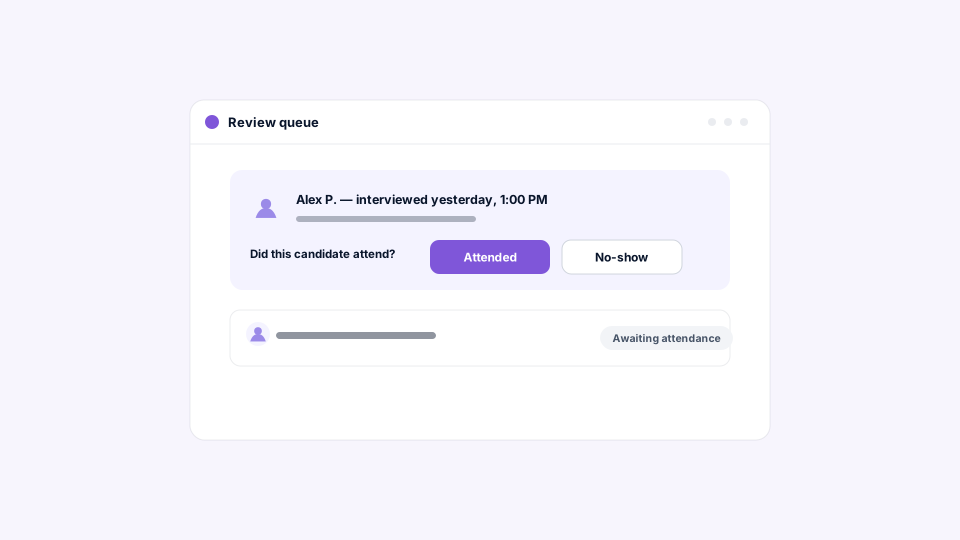
Once the meeting time has passed, the application lands in your queue with a single task, mark attendance, and your Attended or No-show mark drives what happens next. When a candidate attends, the application either advances automatically or waits in your review queue for a person to decide, whichever you’ve chosen.
The flow from the candidate’s side is simple: waiting to book, booked, meeting, outcome. From the recruiter’s side, the only manual step is the attendance mark, and it’s forgiving: a mark can be corrected while the application is still on the stage. For teams that only need the meeting on the calendar, such as orientations where attendance is tracked elsewhere, the stage can advance the application as soon as a slot is booked while keeping the meeting and its reminders intact.
What are the options for handling a no-show?
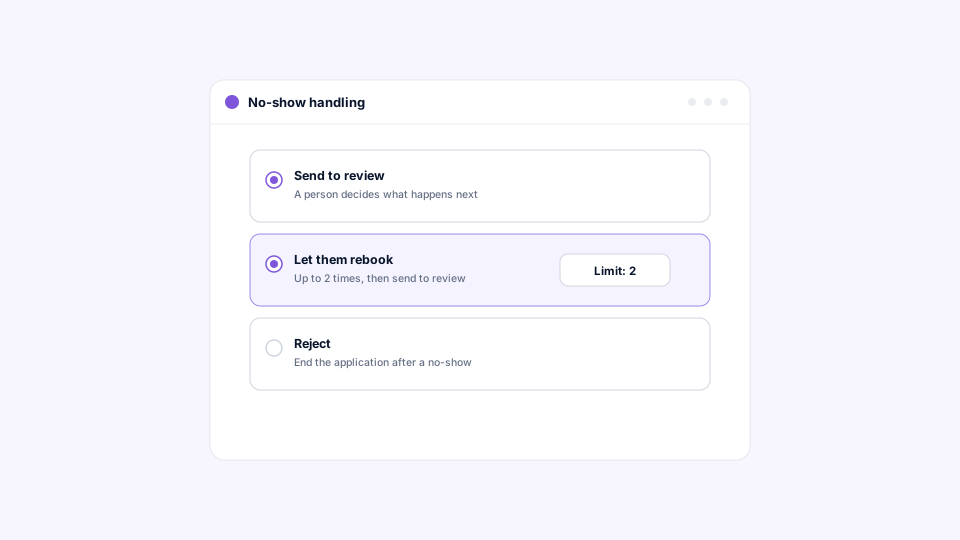
HappyFleet gives three no-show outcomes: send to review, let the candidate rebook, or reject. Review lets a person decide; rebook puts the candidate straight back into the slot picker, up to a limit you set; reject moves the application to Rejected.
Each option fits a different hiring reality. Review is the safe default for roles where context matters and volume is manageable. Rebook is built for high-volume frontline hiring, where a missed slot often means a shift ran long or a bus was late, and a second chance costs nothing because the candidate does the rebooking themselves; once the limit is reached, the application goes to review instead of looping forever. Reject is an explicit opt-in, and it’s designed carefully: it acts only on a fact your team recorded, the no-show mark, never on any automated judgment about the candidate. That distinction keeps rejection tied to a human observation, which is consistent with how the Questionnaire stage’s review rules escalate rather than reject.
How does one calendar serve many jobs and locations?
Because calendars are shared across your organization rather than tied to a job, a single calendar can back Scheduling stages on many jobs, and a multi-location employer can keep one calendar per site, per interviewer, or per meeting type and point any job at the right one. Interviewer, location, and instructions flow from the calendar to the candidate’s booking automatically.
This is where the design pays off for large organizations. A regional operations team can build “Orientation — Tampa” once as a weekly group session and attach it to every driver, warehouse, and dispatcher job at that site. When a job changes hands or a new location opens, the calendar is already there. If a candidate leaves the stage while a future meeting is still booked, their seat is freed for someone else and they’re notified, so group sessions stay accurately full. For more on running one consistent process across sites, see how an ATS manages hiring across multiple locations, brands, or business units.
Where do bolted-on scheduling tools fall short?
A standalone scheduling link handles the booking and stops there: it doesn’t know the candidate’s pipeline stage, can’t record attendance against the application, and can’t act on a no-show with rules. The result is a booked meeting in one system and an application that still needs a human to update it in another.
That gap is where high-volume hiring quietly leaks time. Someone has to notice the meeting happened, find the application, mark the outcome, and decide what to do next, for every candidate, every day. When scheduling is a native pipeline stage, the booking is the application record, the outcome is a single click, and the next step is already decided. It’s the difference between a tool that saves a scheduling email and a system that runs the interview loop. For a fuller comparison of connected versus stitched-together platforms, read what is an AI ATS?
Put the interview on the calendar before the candidate moves on
HappyFleet is one platform with two connected AI products: the AI Recruiter, which conducts automated phone-screening interviews with every applicant in more than 10 languages, 24 hours a day, and produces a scored summary of fit and eligibility, and the AI ATS, which chats with candidates over text, books interviews through its own built-in scheduler, and captures candidate data automatically at every pipeline stage. The Scheduling stage is that built-in scheduler. Pair it with an AI Phone Screen and a qualified candidate can go from application to a confirmed, reminded, calendar-invited interview without a recruiter making a single call. LaRae, an HR administrator at Express Package, an Amazon Delivery Service Partner, saw time from application to onboarding fall from roughly seven days to two after automating this side of the process, as detailed in her case study.