
Yes. HappyFleet’s Signature / Form Fill stage lets your Applicant Tracking System (ATS) present offer letters, agreements, and onboarding forms to candidates, collect their signatures, and store the completed document on the application, all without a separate e-signature subscription or a manual export. It runs as a native pipeline step: you upload the PDF you already use, mark where the candidate needs to sign and fill, and the candidate completes it from their portal. Details the platform already knows, such as the candidate’s name and address and the job’s title and compensation, fill in automatically, so candidates only type what is truly theirs to provide, and every completed document arrives with an automatic audit trail. For large employers hiring at volume, that turns the offer step from a copy-paste-and-chase routine into a stage that runs itself.
Why does the offer and paperwork step slow down high-volume hiring?
The offer step slows hiring because it usually lives outside the ATS: someone exports candidate details, fills a template, sends it through a separate tool, and then watches for the signed copy to come back. Every handoff is a place for a typo, a delay, or a candidate who accepts a different offer while the letter sits in a queue.
For an organization extending dozens of offers a week across multiple sites, that overhead compounds. Each offer letter needs the right name, address, title, and pay rate, and each of those is a field a person has to look up and re-type, then double-check. The signed document then has to be found, downloaded, and attached to the right record. None of that is hard, but all of it is manual, and manual steps are where multi-location hiring loses consistency, a theme covered in how an ATS manages hiring across multiple locations, brands, or business units. A signature stage inside the pipeline removes the handoffs: the application reaches the stage, the document is ready with the right details, and the candidate is notified to sign.
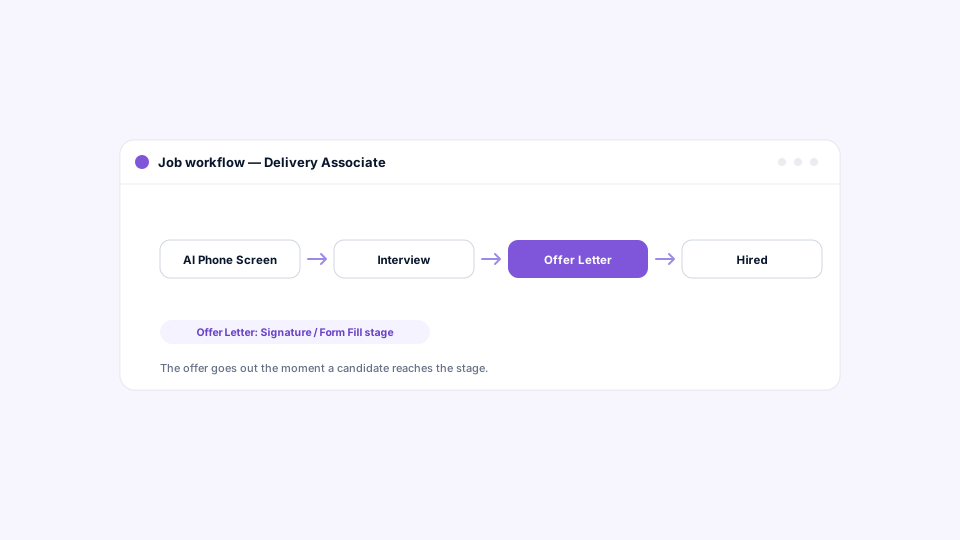
How does a signature stage work inside the pipeline?
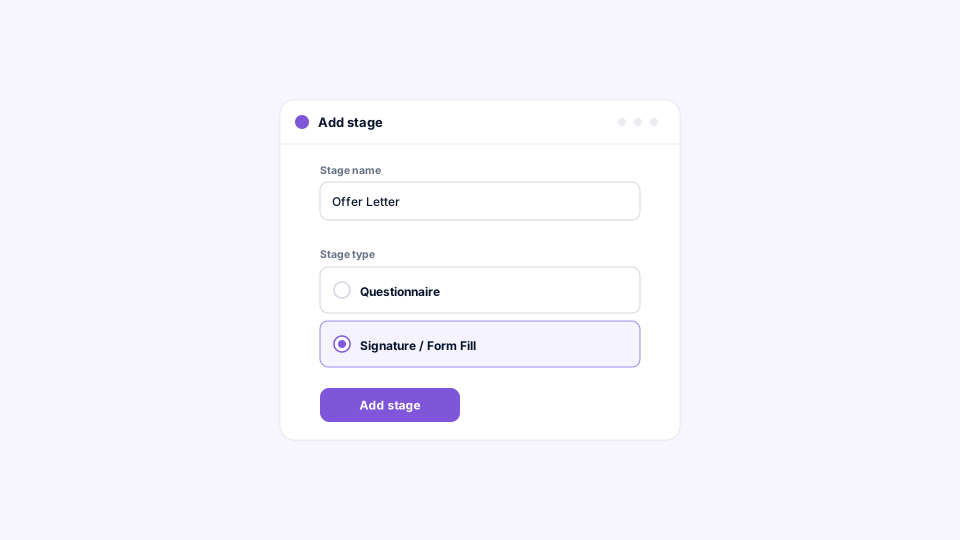
You add a Signature / Form Fill stage to a job’s workflow, either while creating the job or on an existing job at any time, give it a name like “Offer Letter,” and attach the document to be signed. When a candidate reaches the stage, the document is waiting in their portal, and once they sign, the completed copy lands on their application.
Each stage carries one document, and that is deliberate. It keeps every step of the pipeline unambiguous: an “Offer Letter” stage collects the offer letter, a “Direct Deposit Form” stage collects the direct deposit form, and reporting can show exactly where each candidate is. Need several documents signed? Add a stage for each, in the order you want them completed. Because the stage is part of the workflow, the same notifications available on every other stage tell the candidate a document is ready and nudge them if it goes unsigned.
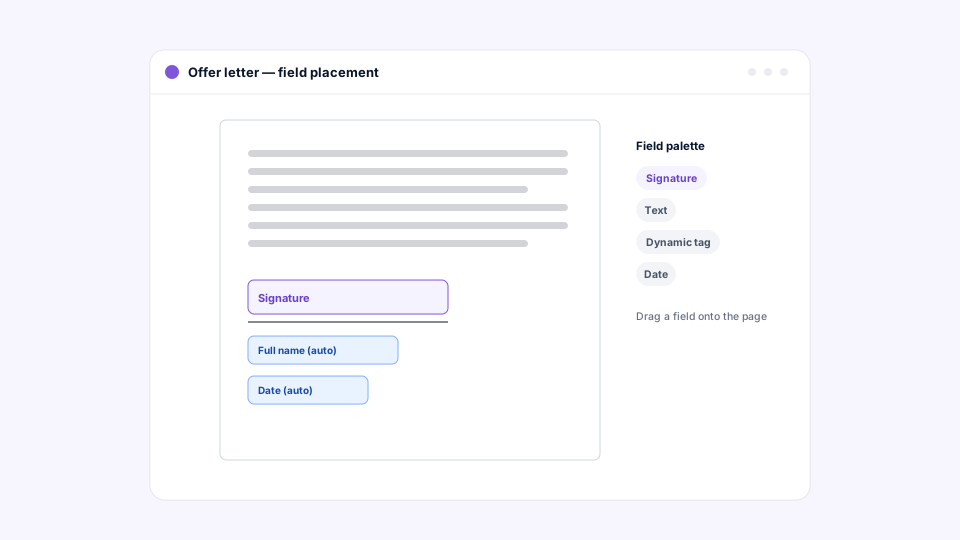
How do you turn a PDF into a signable document?
Upload your PDF into HappyFleet’s document builder, then drag fields onto the spots where they belong: a signature field on the signature line, a date field on the date line, and text, initials, checkboxes, and other fields wherever the candidate needs to respond. Fields can be resized, moved, or removed until the layout matches the document.
The upload is any PDF you already use, which means your legal team’s approved offer letter or your existing onboarding packet works as-is, with no rebuilding in a new tool. Once the document is designed and saved to the stage, every candidate who reaches that stage gets the same document with their own details filled in.
How does auto-fill cut errors in offer letters?
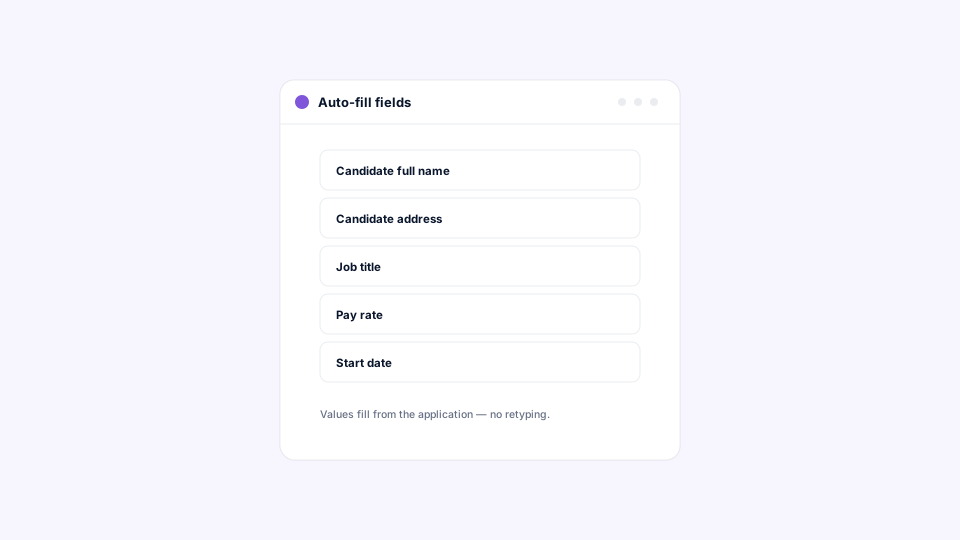
Alongside the fields the candidate completes, you can place fields that fill automatically from information HappyFleet already holds, including the candidate’s name, contact details, and address, the job title and compensation, and the brand the job belongs to. When the candidate opens the document, that information is already there.
Because each value comes straight from the candidate’s record and the job’s setup, the offer letter says exactly what the application says: the address the candidate entered, the title and pay attached to the job, the brand the candidate applied to. That removes the two most common offer-letter errors, the wrong name and the wrong pay, at the source. It also means one template serves every job and every brand without editing, since the details resolve per candidate. For multi-brand employers, brand details stay consistent with the brand the candidate applied to, which connects to how an ATS handles employer branding and careers pages.
What does the candidate experience when signing?
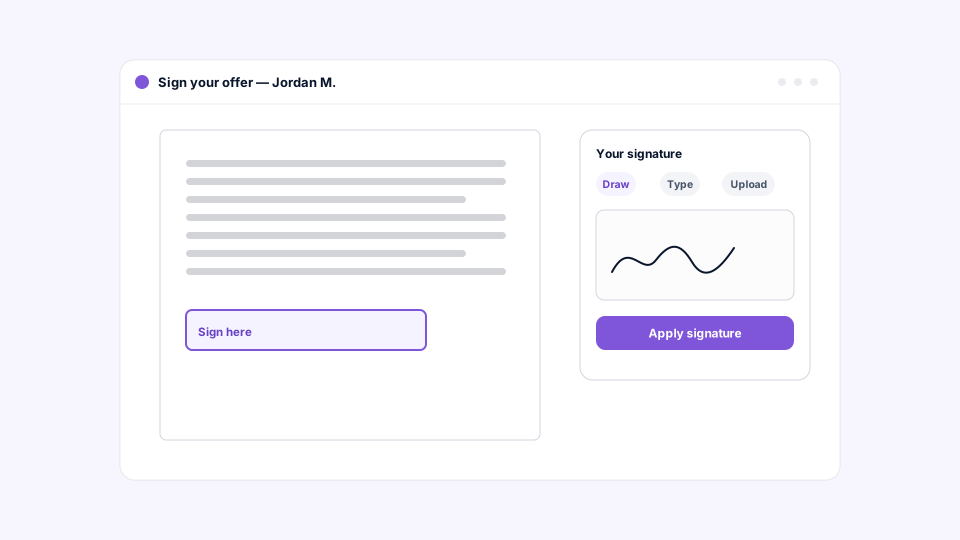
The candidate opens the document from their portal with their details already filled in, and the portal walks them through the remaining fields one at a time. For a signature, they can draw it, type it, or upload an image, then move on to the next field.
Guided signing matters for a mobile-first workforce. A candidate on a phone shouldn’t have to hunt around a PDF for the fields they missed; the portal moves them from field to field, and they finish in one pass. Getting the candidate to the document quickly is the other half of the experience, which is why a typical setup pairs the stage with a notification on entry that says an offer is ready and links straight to it, plus a reminder for anyone who hasn’t signed after a few days. Both can go by email, SMS, or both.
What record does the ATS keep after the document is signed?
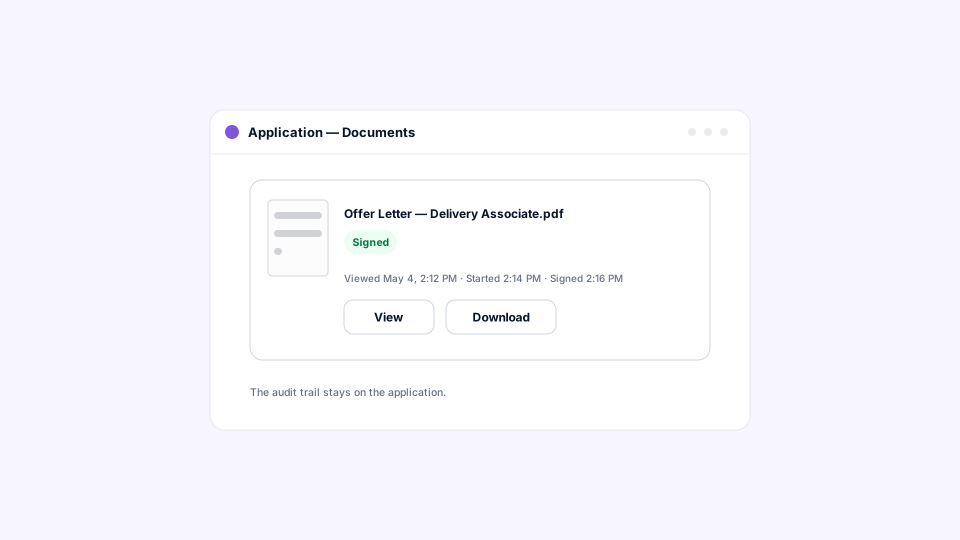
The completed document appears on the candidate’s application with a Signed badge, an audit trail showing when the candidate viewed, started, and signed it, and the option to view or download the finished copy. None of that requires setup.
For HR and legal teams, this is the part that separates a signature stage from a signature tool. The signed offer letter isn’t a PDF attached to an email somewhere; it’s a record on the application, next to the questionnaire answers, the AI screen results, the interview booking, and the chat history. Anyone with access can confirm that a candidate saw and signed an offer, and when, without asking around. That kind of automatic, consistent documentation is exactly what large employers need for the defensibility questions discussed in how an ATS supports compliance, reporting, and audit trails.
Where do standalone e-signature tools fall short for hiring?
Standalone e-signature tools sign documents well, but they don’t know the candidate’s pipeline stage, can’t pull the offer details from the application, and leave the signed copy in a separate system that someone has to reconcile. The result is a working signature and a broken workflow.
The cost shows up in three places: the time a coordinator spends re-typing details into templates, the errors that re-typing introduces, and the visibility a hiring leader loses when signed offers live outside the ATS. A native signature stage solves all three by making the document part of the workflow, filling it from the record, and storing the result on the record. It is one more example of the connected-versus-bolted-on distinction that runs through what is an AI ATS? and AI Recruiter vs. traditional ATS: what’s the difference?
From “we’d like to offer you the job” to signed, without leaving the platform
HappyFleet is one platform with two connected AI products: the AI Recruiter, which conducts automated phone-screening interviews with every applicant in more than 10 languages, 24 hours a day, and produces a scored summary of fit and eligibility, and the AI ATS, which chats with candidates over text, books interviews through its own built-in scheduler, and captures candidate data automatically at every pipeline stage. The Signature / Form Fill stage is what happens at the end of that pipeline: the data the AI ATS captured along the way fills the offer letter, the candidate signs from the same portal they’ve used since day one, and the signed document stays with the application. LaRae, an HR administrator at Express Package, an Amazon Delivery Service Partner, saw her daily manual HR work drop from roughly four and a half hours to about thirty minutes after moving her hiring process onto HappyFleet, as detailed in her case study.